
|
About SERP Tools Browser Configuration SERP Window General SEO Parameters Dynamics & Graphs Position tracking Membership Plans Terms of Use Privacy Policy |
Browser ConfigurationSerpanalytics requires your browser to have cross-site XMLHttpRequests enabled.Currently only Mozilla Firefox and Microsoft Internet Explorer support this feature. Please read how to enable it. How to enable cross-site XMLHttpRequests in Mozilla Firefox 2 or higherIf you use Mozilla Firefox SERPAnalytics will prompt you for enabling this feature automatically when needed.How to enable cross-site XMLHttpRequests in Microsoft Internet Explorer 6 or higherFirst, open "Tools" menu and click on "Internet Options" item. If you cannot see the menubar try pressing Alt key: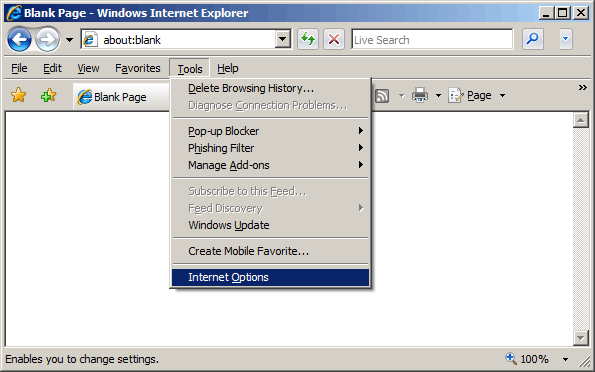 Then select "Security" tab and click on "Trusted Sites" icon: 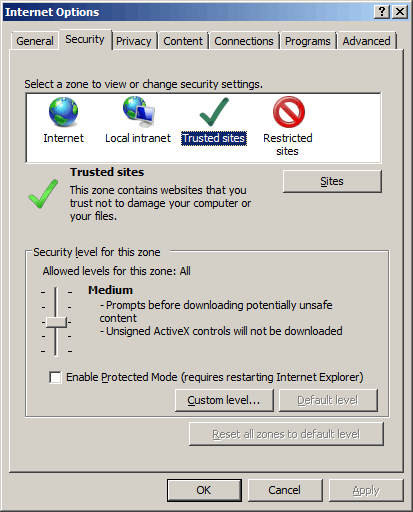 Click "Sites" button: 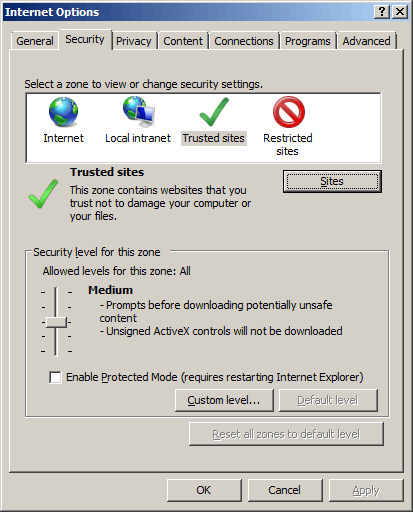 Uncheck "Require https verification" checkbox. Enter "http://www.serpanalytics.com" into the add field: 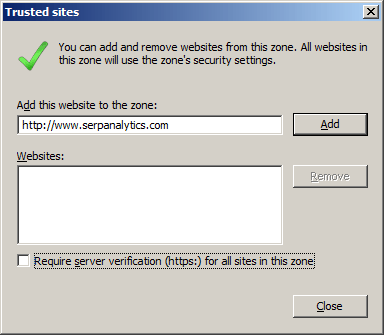 Click "Add" button and then click "Close" button: 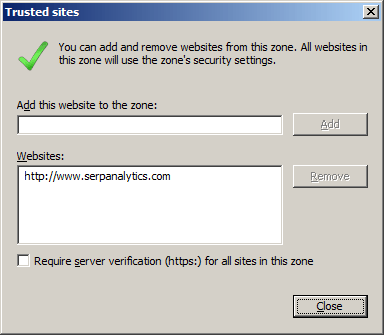 Click "OK" button to close "Internet Options" window and save settings: 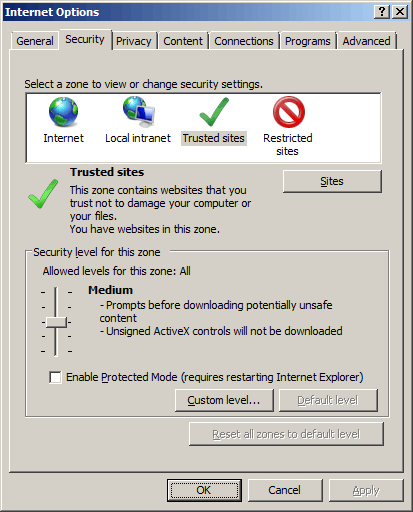 If you are using Internet Explorer 7 or 8 Click the "Custom level button", choose the "Miscellaneous" section, switch "Access data sources across domains" to "Enabled" value. 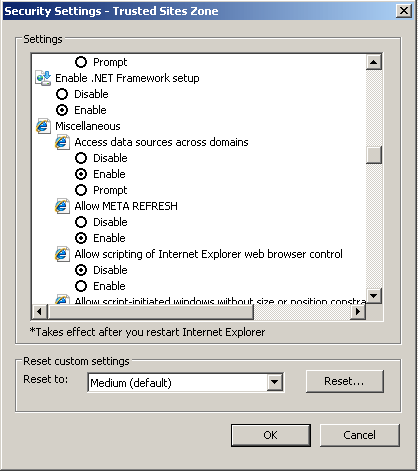 That's it! |